From Dec Page to ACORD Forms: Upload the Current Policy, Get the Right ACORDs Pre-Filled
Product · 2026-10-11
Every commercial renewal or remarket starts the same way: the current dec page on one screen, a blank ACORD 125 on the other, and twenty minutes of retyping the named insured, the address, the limits and the current carrier. We built a tool in ARLO CRM to remove that step.
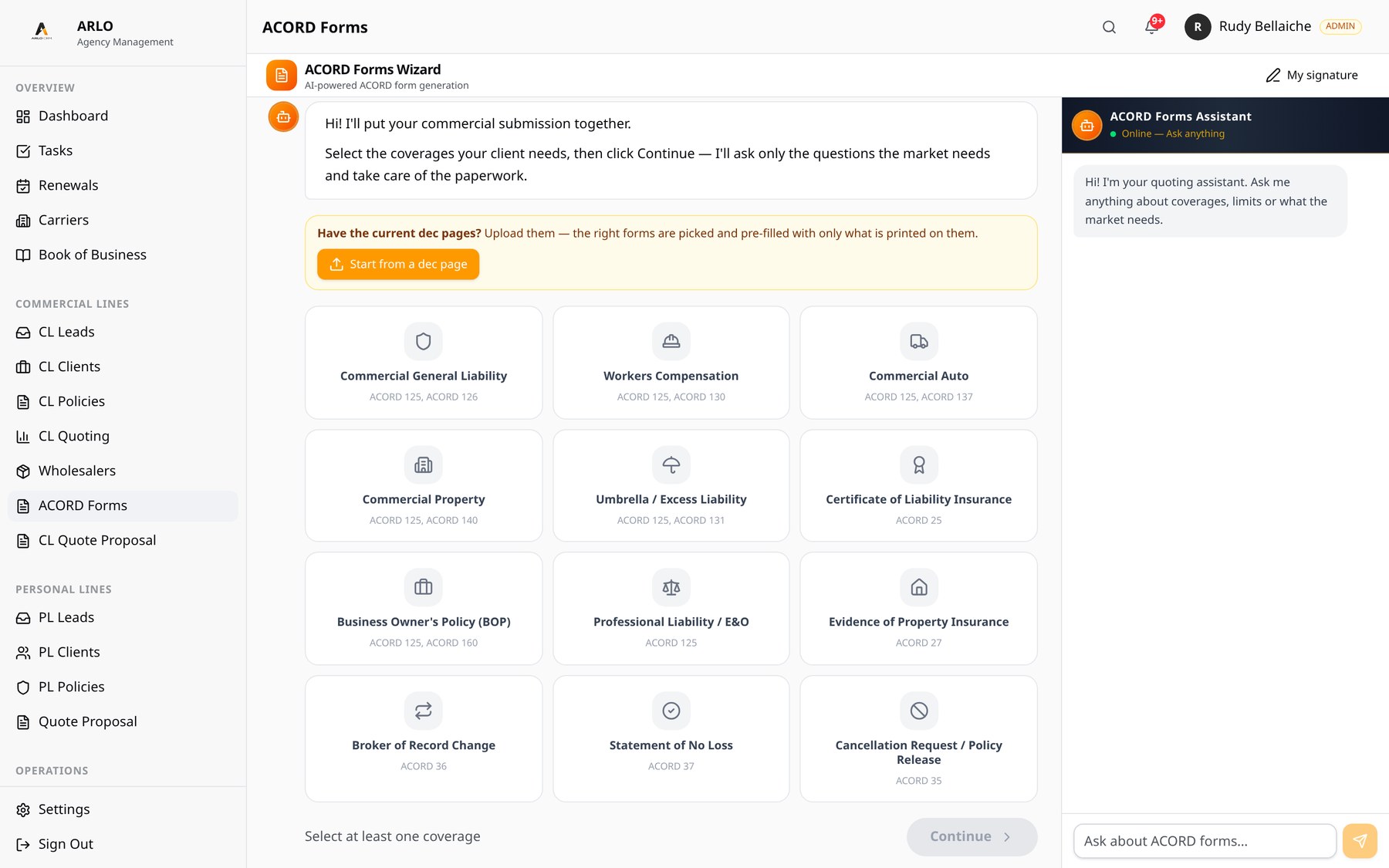
On the ACORD Forms page there is now a Start from a dec page button. You upload the current commercial dec pages, ARLO reads them, picks the ACORD forms each line needs and opens the ACORD wizard with what is printed on the policy already filled in.
The rule behind the tool: an empty field is better than a wrong one. Only what is printed on the document is pre-filled. Anything unsure stays empty and is listed to check.
How it works
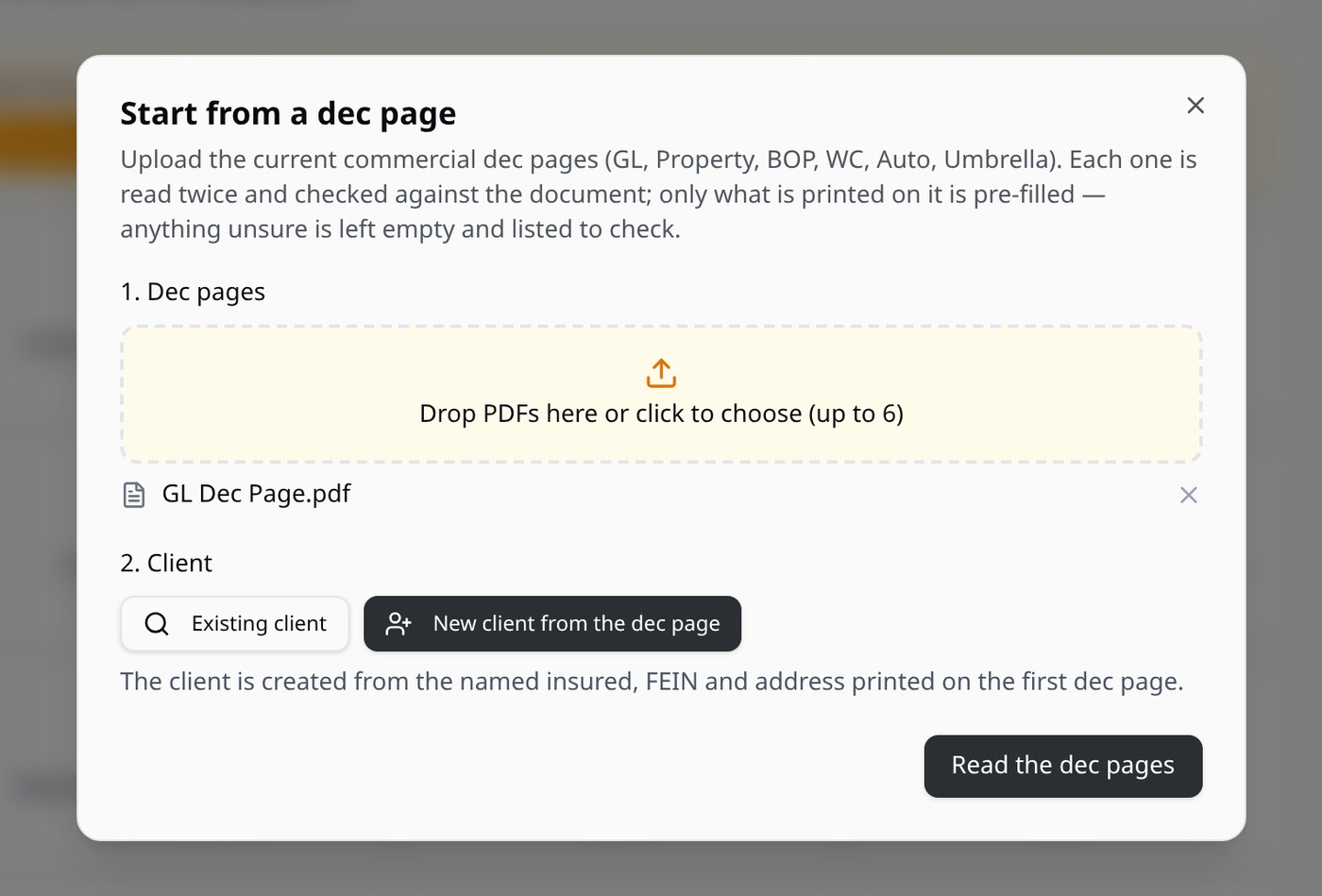
- Upload the dec pages. Drop up to 6 PDFs (or photos of the pages) for the account: GL, Property, BOP, Workers Comp, Auto, Umbrella.
- Pick the client. Choose an existing client, or let ARLO create a new one from the named insured, FEIN and address printed on the first dec page.
- ARLO reads each document. Each file is saved on the client as a Dec Page and read twice, with the values checked against the document.
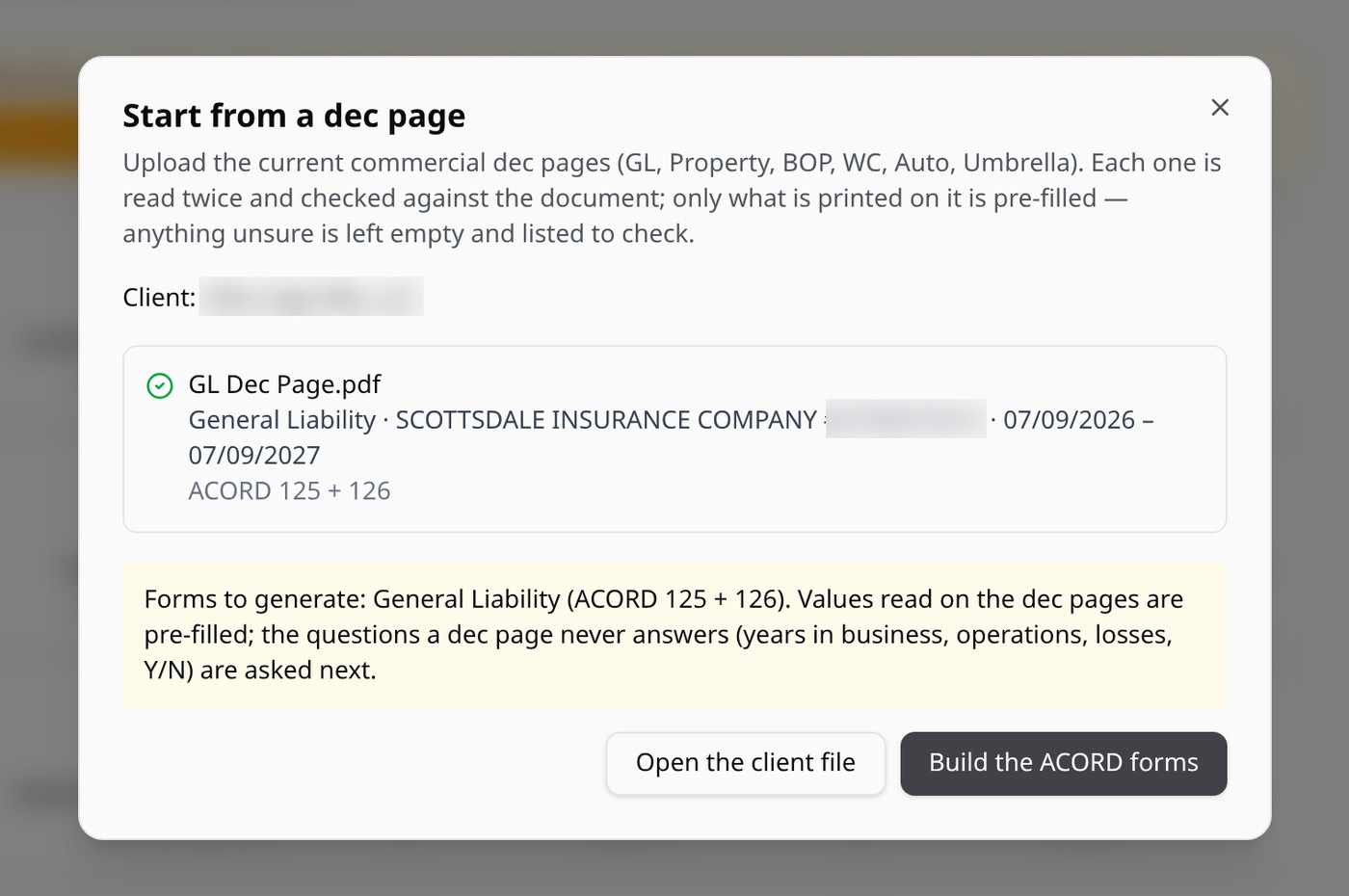
- Check the result. For every file you see the line of business, the carrier, the policy number, the policy dates and the ACORD forms it needs.
- Build the ACORD forms. The wizard opens with the right forms selected and the values read on the dec pages pre-filled. It then asks only what a dec page never answers.
Which ACORD forms each line opens
Line on the dec page — ACORD forms
General Liability — 125 + 126
Commercial Property — 125 + 140
Business Owners Policy (BOP) — 125 + 160
Workers Compensation — 125 + 130
Commercial Auto — 125 + 127
Umbrella / Excess — 125 + 131
Professional / E&O — 125
A package policy opens both the GL and the Property forms.
What gets pre-filled, and what does not
On a real General Liability binder we tested, ARLO pre-filled 34 answers from the verified policy: the named insured, the mailing address, the entity type, the operations description and class code, the occurrence, aggregate, products, personal and advertising injury and medical expense limits, the new effective date, and the current carrier with its policy number as prior coverage. The wizard then had 23 questions left.
Two limited-coverage lines on that binder were not pre-filled: the two reads disagreed, so ARLO left them empty and listed them to check on the document.
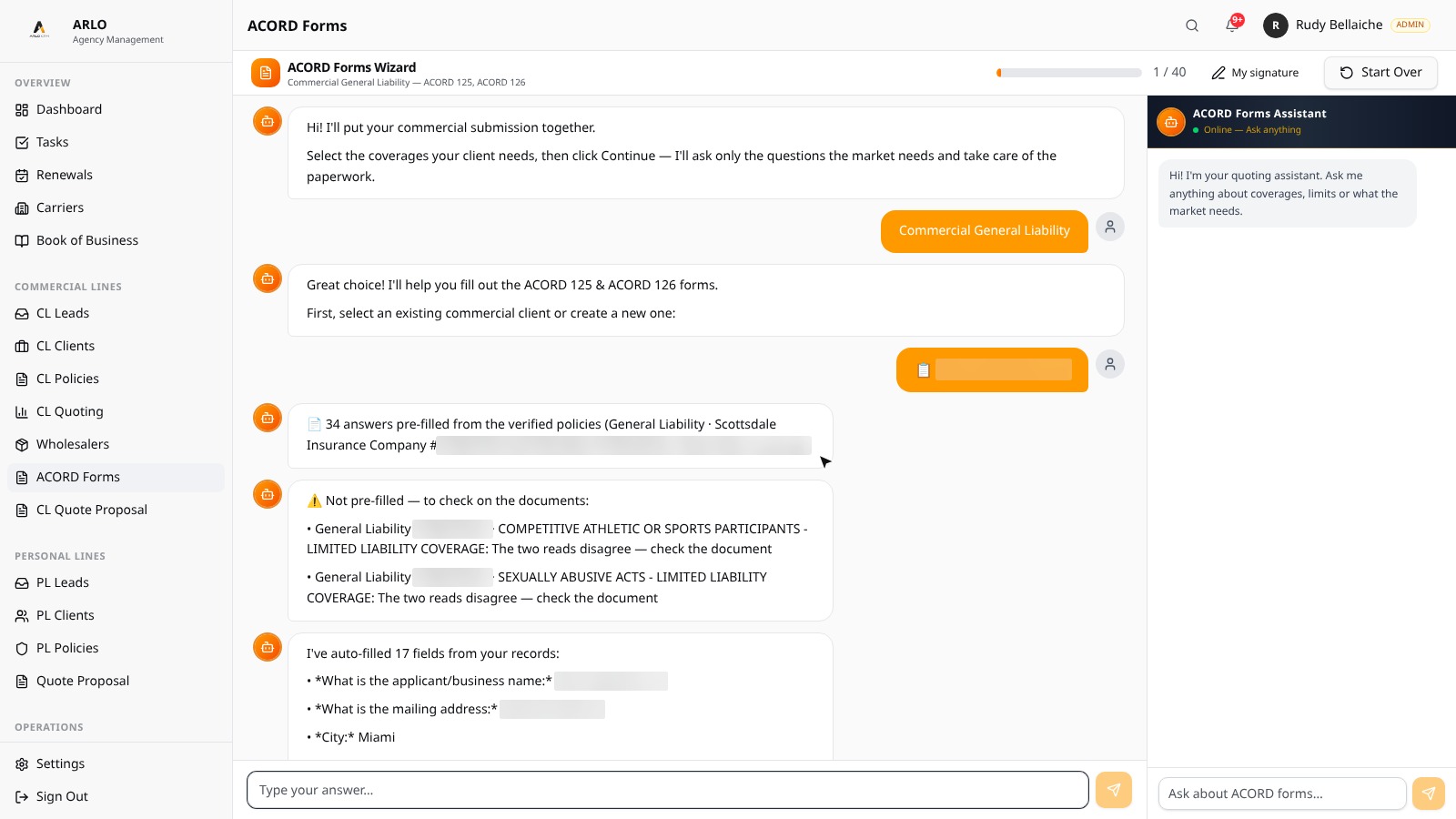
What a dec page does not contain is never guessed: years in business, a full description of operations, revenue, employees, loss history and the underwriting Y/N questions. The wizard asks those next. If a document cannot be matched to a policy (a different named insured, or a reading that is not sure enough), ARLO says why and pre-fills nothing from that document.
The forms come out as editable ACORD PDFs, so you can still change any field before you send the submission to a market.
Why we built it this way
Most of the time on a commercial submission goes into copying information that already exists on the current policy. Speed alone is not the goal, though: a wrong limit or a wrong class code on an ACORD costs more than the time saved. That is why the tool reads each document twice, fills only what is printed, and shows you what is left to check.
Want to see it on one of your own accounts? Book a demo.
Market access for new insurance agents · Get appointed in Florida · ARLO CRM pricing · More guides